Developing my first Twitch extension

software developer && gamer passionate about software development && games ... catch my twitch streams on twitch where I stream: https://twitch.tv/techygrrrl
Search for a command to run...

software developer && gamer passionate about software development && games ... catch my twitch streams on twitch where I stream: https://twitch.tv/techygrrrl
No comments yet. Be the first to comment.
About 2 days ago, I learned that you can use web APIs to edit video. In the past, I've used ffmpeg, which is an amazing open-source cross-platform command line tool that pretty much every company uses

If you’ve been reading my blog or watching my Twitch streams you may have already seen me talk about text-to-speech apps. If not, a quick overview: I built a text-to-speech app for Windows using C# and Windows Presentation Framework. You can read ab...

sf6vid is a command line tool that allows you to censor player data in a Street Fighter 6 game play video. How it works sf6vid is a command line tool. In order to use it you need to install it and execute the file from your terminal. In the future th...

I made a user script as a gist for making the Twitch Dev site use dark mode. It should work on all dev.twitch.tv and dev.twitch.com pages at the /docs path. If you find a bug, let me know in the blog or gist comments. https://gist.github.com/techygrr...

Problem Currently, Twitch has both dark and light modes for the UI, but when you go into Theatre Mode, your preference for light mode is ignored and you're forced to use dark mode. Many users find it easier to read in light mode, but the option to vi...

techygrrrl's blog
9 posts
Twitch streamer from Canada. If I'm not playing video games 🕹 I'm probably coding and developing websites or apps 👩🏻💻
I developed a simple panel extension that displays the commands available in my channel.
It uses an API endpoint to fetch a list of commands and displays it in the panel.
I built it using Svelte.
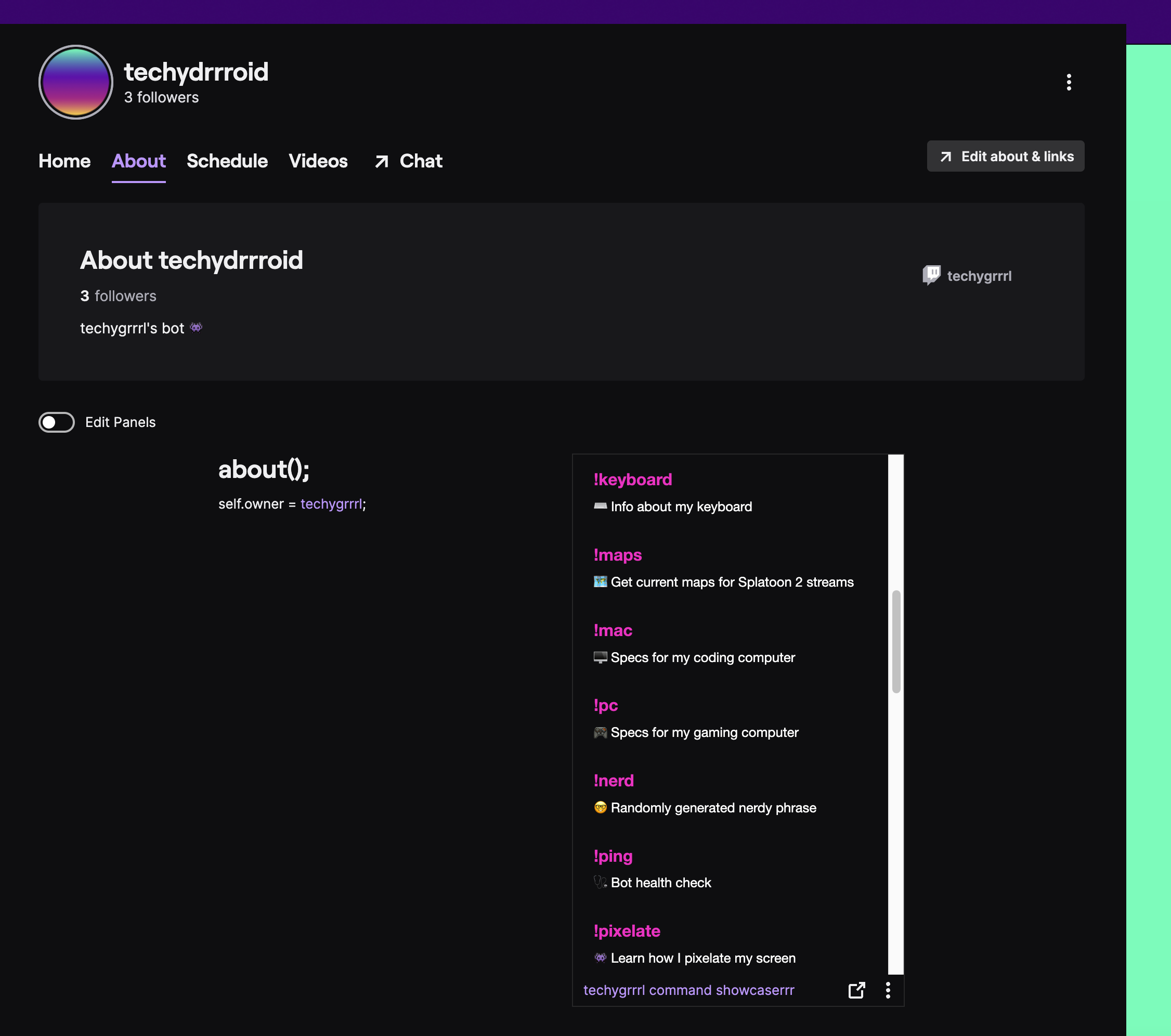
This is what it looks like on desktop.
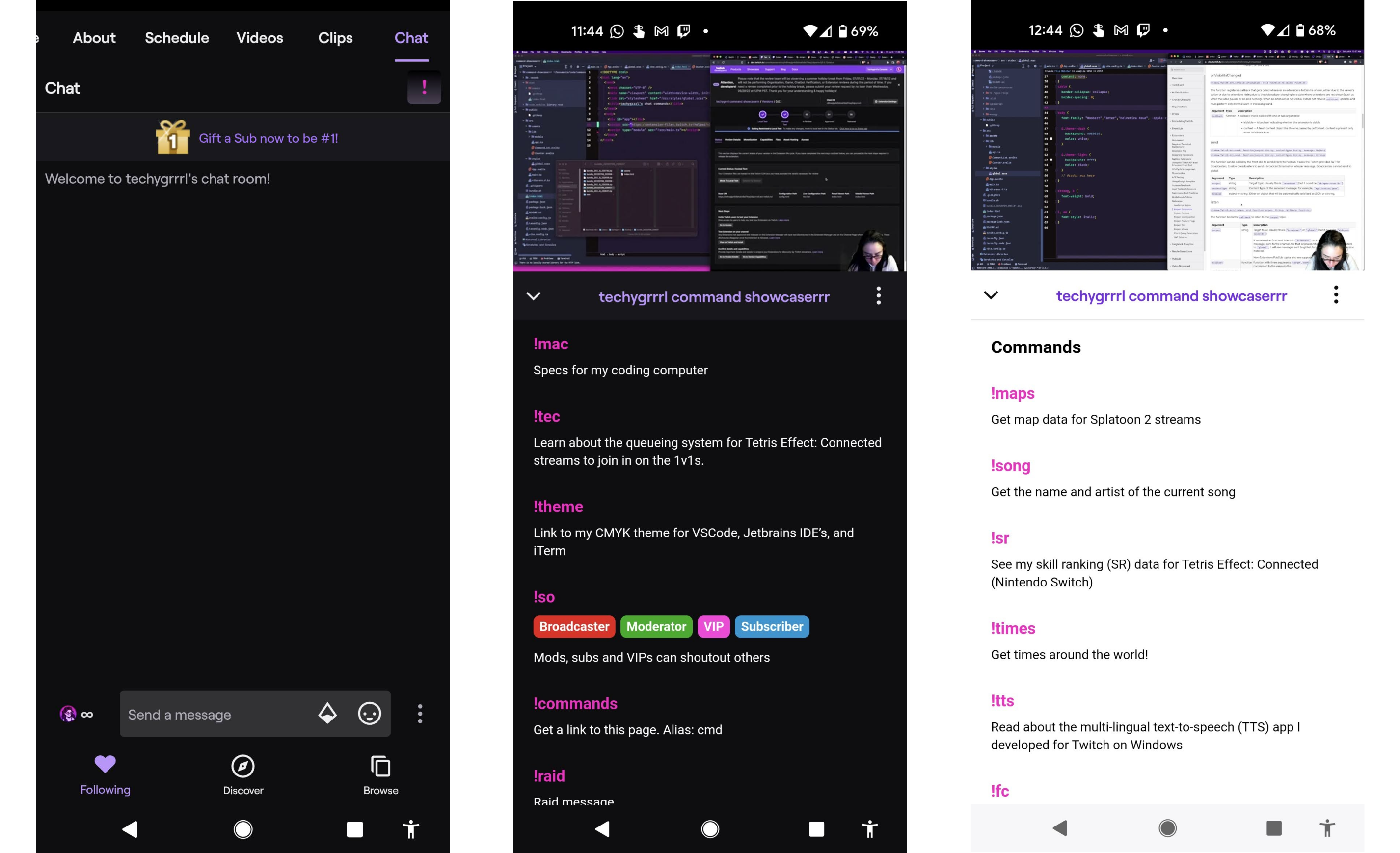
This is what it looks like on mobile. You'll see the pink exclamation icon in the top right. Once clicked, it'll show the commands.
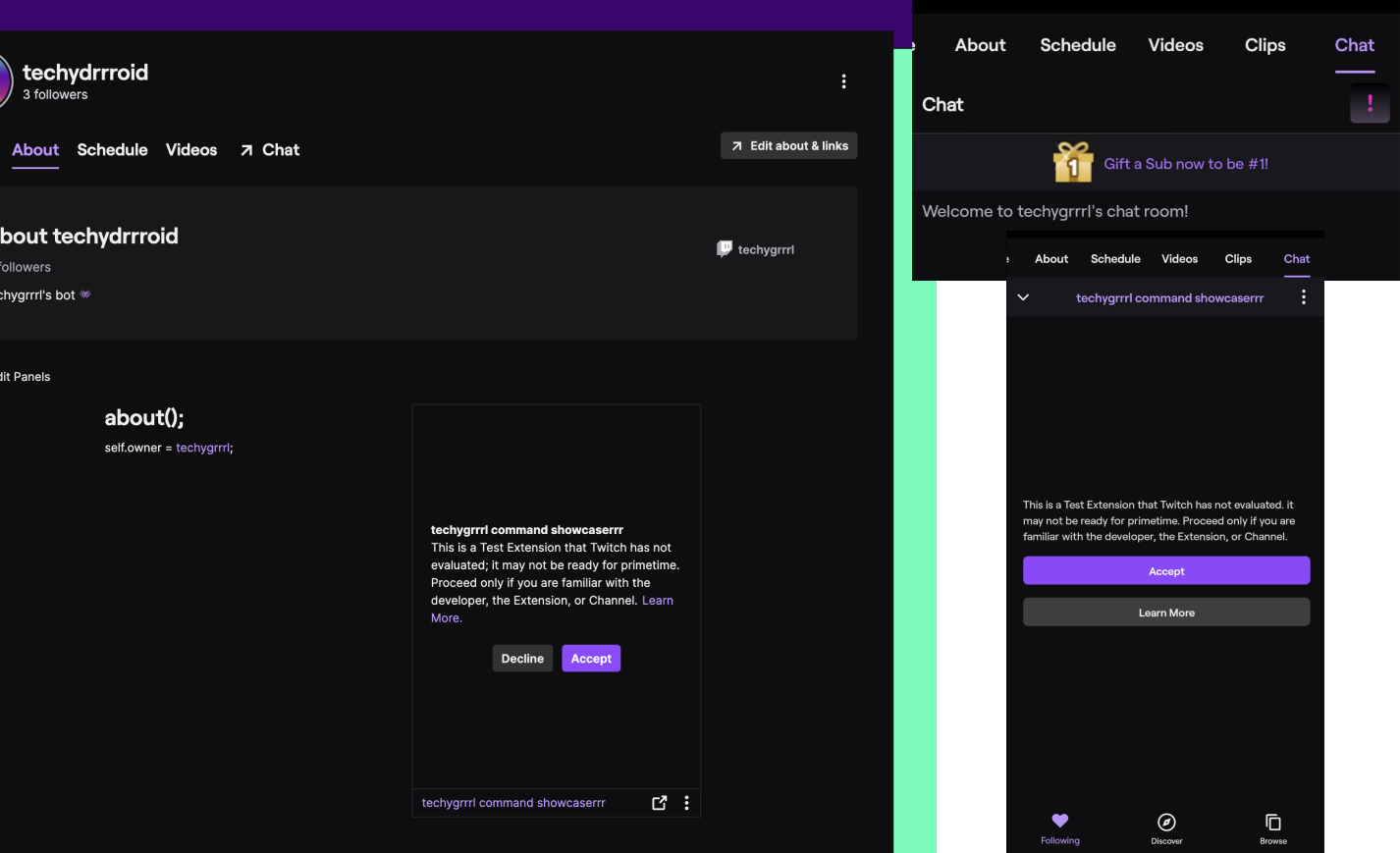
When testing, you will see a warning on both Android and web that the extension has not been evaluated. This message only shows for users added to the testers list. This will show before the extension loads.
I've submitted my extension for approval. I'll see how it goes. The email said it'd take 3 days to review but I learned that Twitch is currently on holiday. Some have experienced up to 11 days of waiting time. My thoughts are it will be about 2 weeks before it gets approved, which is quite a slow feedback cycle, but it is their summer holidays.
You can watch me learn how to build a Twitch panel extension from scratch here.